You have approved a budget, picked a rough date and told the team to get ready. Then someone asks the question that stalls the whole project: where exactly will this video go? Without a clear answer, the shot list becomes a wish list, the edit grows in three directions and the site launch waits on files that were never planned for the pages they need to support.
That is why planning video for website pages should begin before the camera comes out. The destination changes the framing, the length, the sound, the captions and the files you need at the end. When the placement is decided first, the shoot has a job to do and the website team knows what to expect.
Start With the Placement, Not the Camera
Before anyone writes a shot list, list the pages and channels where the footage will run. A homepage hero has a different job from a service page clip, and both differ from a vertical cut made for a social feed. The hero usually needs a short, atmospheric moment that sets context without explaining everything. A service page clip often needs to show a process, a place or a person doing the work. A social clip has to survive silent viewing, a small screen and a fast scroll.
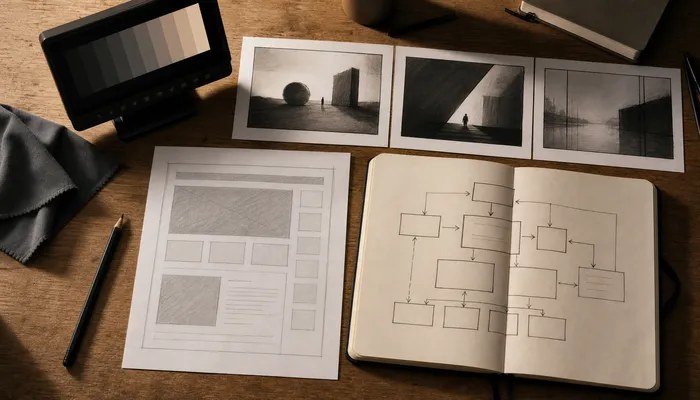
The four stages — Discovery, Pre-Production, Production and Post-Production — all depend on that placement list. When the destinations are written down, the production team can decide what to capture and what to leave out. That order reduces re-shoots because the framing, movement and supporting shots are chosen for a known use. It also gives the editor a map: which clip belongs to which page, which version needs captions burned in and which file should stay clean for future edits.
The placement list also tells you which pages are not video pages. Not every section needs a clip; a page that needs a fast answer may work better with a short paragraph and a still image. Deciding that early keeps the production from carrying footage that no page will use.
Formats to Decide Before the Shoot Day
Aspect ratios for web video are easier to plan than to fix later. Vertical and horizontal framing should be decided before the shoot, not cropped after the fact. A frame composed for a wide hero may lose the subject when it is cut to a vertical format. A vertical frame may leave no room for the headline or button that sits beside it on a page. Planning both at the same time gives the editor options without guessing what the page needs.
Safe areas matter for the same reason. Captions, subtitles, player controls and page overlays all take up space. If the important action sits at the edge of the frame, it can disappear under a caption block or a play button. Deciding where the text will sit and which parts of the frame must stay clear is part of video planning before the shoot, not a post-production patch.
Silent viewing changes what the video has to show. Many people will meet the clip with the sound off, so the story needs visual cues: a clear action, a visible result, a change of scene or a simple on-screen phrase. That does not mean every video needs to be built for silence, but the planning should decide which moments must work without audio and which moments can rely on a voice or a music bed.
The same planning applies to the length of each cut. A page that loads with a hero can use a short loop, while a service page may need a longer explanation. Deciding the length before the shoot keeps the editor from cutting a strong moment just to fit an unplanned slot.
Matching Each Clip to a Job on the Page
Where video goes on a website should follow the page’s argument, not the available footage. An opening clip can set context and tone. A proof-of-process clip can show how the work is done, which is often more persuasive than a list of claims. A people-and-place clip can make the business feel real without inventing a local office or a local crew. A closing clip can support the next action, such as booking a call or requesting a proposal.
One strong clip used well usually beats five clips used everywhere. Repeating the same footage across a homepage, three service pages and a social feed makes the site feel thin and gives each page less focus. A better approach is to give each page one clear video job and let the supporting images, captions and copy do the rest. Sometimes the strongest choice is a still frame pulled from the shoot, especially when the page needs a fast-loading visual or a moment that reads better as a photograph.
The strongest page video is usually the one that answers the question the page is already asking. If the page is about a service, show the service. If the page is about trust, show the people or the process. If the page is about a location, show the work in a way that does not claim a local office you do not have.
The Handoff: Files, Captions and Naming
Captioning and file handoff are where good planning becomes visible to the website team. The client should receive the final video files in the formats the pages actually need, plus separate caption and subtitle files where the player supports them. File names should make the destination obvious so no one has to open five exports to find the homepage version. A simple naming pattern that includes the page, the format and the version is enough; the point is to remove guesswork.
A short handoff document can list the file names, the page each file belongs to, the caption files and any usage notes. That document is more useful than a folder full of exports with no labels.
Ownership should be defined in the agreement before delivery. That includes who holds the master files, who can reuse the footage, and what the client is allowed to change later. Clear handoff notes also help the site team place the video without asking for a new export. If the project uses a framework such as the 360 Production Method™, the handoff is treated as part of the process rather than an afterthought.
Where This Fits in a Combined Build
Video planning and site structure can run from one brief. When the page layout, the page’s job and the video’s job are decided together, the shoot supports the build instead of arriving after it. That is also how video planning connects to the website build for teams that want one coordinated production rather than two separate workstreams.
If the project includes a redesign, it helps to review preparing a site before a redesign so the video placements are part of the plan. For a clearer picture of what a produced video includes, see what a corporate video project actually includes. And when scope is the open question, the scope decisions behind a production estimate explain which choices change the work.
If you are ready to plan the pages and the shoot together, share the page list, the audience and the action you want each page to support through the contact page. A short scoped conversation is usually enough to decide what to capture first.